
Building a Scalable Ingestion Pipeline with Temporal (Part 1)
How we built a document ingestion system that handles massive sources using Temporal's workflow orchestration, and the design decisions that made it scale.
Contents
- Part 1: Designing the architecture
- What we’re building
- The problem
- The pipeline at a glance
- Approval and Promotion
- Quick Temporal Primer
- Architecture overview
- Three Workers, One Process
- Deployment on Cloud Run
- Activities vs. Workflows
- Passing Large Data: Cloud Storage as the Bus
- The sliding window: controlled fan-out
- Why Not Just Batch?
- The Sliding Window
- Estimating Throughput
- How It Works
- Why This Works: Little’s Law
- Two fan-out patterns (and when to use which)
- Sliding Window: For the Main Document Stream
- Batch-and-Wait: For PDF Chunks
- Managing state at scale with continue-as-new
- Externalizing Progress
- Recommendations
- Up next
Part 1: Designing the architecture
Part 1 of two. Part 2 covers heartbeats, cancellation, approval policies, observability, error handling, and developer isolation.
What we’re building
Our AI agents need access to customer documentation, which can live in Confluence, SharePoint, Google Drive, Salesforce Knowledge, or any of 20+ other platforms. Getting that documentation into a searchable state means crawling, extracting, chunking, embedding, and storing it across Supabase, TurboPuffer, and Elasticsearch. For small sources, a simple batch job would work. For large ones, with hundreds of thousands of documents and multi-hour processing times, we needed something more resilient. We built the ingestion pipeline on Temporal, and this post walks through the architecture.
The problem
The range of source sizes is wild. A small sitemap is dozens of pages. A large customer’s knowledge base can be hundreds of thousands of documents. A single electronics datasheet might run to thousands of pages of specs, compliance data, and circuit diagrams.
The pipeline looks simple on paper:
Crawl source → Download → Extract text → Chunk → Embed → Store in DB(s)In practice, it needs to be:
- Durable: runs can take hours. A crash at hour four shouldn’t restart from scratch.
- Stateful: you need to track which documents succeeded, failed, or got skipped, and where you left off.
- Concurrency-controlled: downstream APIs have rate limits. Unbounded fan-out makes things slower, not faster.
- Observable: when you’re processing thousands of documents across distributed workers, you need to trace failures back to individual documents.
- Approval-gated: before freshly ingested data goes live, someone should review what was indexed.
We evaluated a few orchestration options and picked Temporal. The bake-off is a different post. This one is about the architecture patterns that made Temporal work at scale, and the design goal behind them: a 200K-document run should use the same orchestration model as a 2K-document run, and keep extending toward millions as capacity allows.
Three things break first when you scale up:
Rate limits. Each document triggers LLM calls (image description, summarization), embedding API calls, and database writes. Unbounded concurrent workflows mean unbounded simultaneous API calls. The LLM provider starts returning 429s. Every child retries with exponential backoff. Instead of finishing faster, everything grinds to a halt.
Resource exhaustion. Worker pools have finite capacity. Fan out too aggressively and you get queueing in Temporal, memory pressure on workers, and cascading timeouts.
The long pole. Even with fixed batching, one massive electronics datasheet can block an entire batch of slots while other work sits idle.
Each stage can fail independently. PDF extractors crash on malformed files, LLM calls hit 503s, crawlers can run for hours.
The pipeline at a glance
An admin triggers ingestion, and the run moves through three phases:
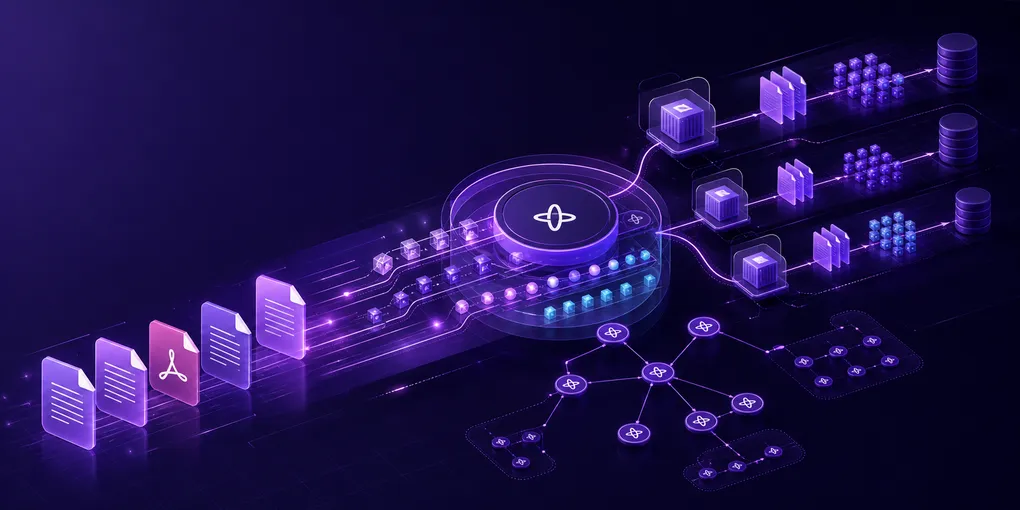
The pipeline is source-agnostic. We support over 20 source types (Confluence, SharePoint, Google Drive, sitemaps, Salesforce Knowledge, FluidTopics, video platforms, and more), and each one has its own crawler, but every crawler produces the same output shape. The entire downstream pipeline, from the sliding window through extraction, indexing, approval, and cleanup, works identically regardless of source.
Adding a new source type is just implementing a new crawler. The rest of the pipeline doesn’t change. The staging activity dispatches to the right crawler based on config, and from that point forward, a SharePoint document and a Confluence page look the same to the system.
The staging activity can run for hours on large sources. Large PDFs get routed to a specialized workflow that splits them into chunks first. Throughout all of this, a dedicated status worker syncs progress to the database so the admin UI shows real time counts.
Approval and Promotion
The approval gate exists because “successfully processed” is not the same thing as “safe to serve.” Newly indexed data first lands in an isolated staging copy of the source. Depending on the source’s approval policy, the workflow either auto-approves trusted runs that meet the configured quality bar or waits for a human reviewer to inspect counts, samples, and obvious extraction issues before anything becomes queryable.
On approval, we promote the staged copy by swapping the live reference to the new dataset and retiring the old one. On rejection or cancellation, we discard the staged copy and leave the currently live data untouched. This keeps ingestion durable without making bad crawls immediately visible to end users.
Quick Temporal Primer
If you do not use Temporal every day, four terms matter for the rest of this post:
- Workflow: Durable orchestration logic. It decides what happens next.
- Activity: The code that does external I/O, like crawling, extraction, embedding, or writes.
- Signal: An asynchronous message sent to a running workflow.
- Continue-as-new: Start a fresh workflow run with carried-forward state so history stays small.
At page boundaries, the parent checks whether Temporal suggests a restart because the workflow history is getting too large. When it does, the parent drains all pending signals, saves its cursor position, and continues as new. In-flight children keep running and signal back to the new instance.
Continue-as-new keeps the same workflow ID but starts a new run with a fresh event history. That matters for our signal pattern: children can keep addressing the parent by workflow ID while the parent keeps its history bounded.
Part 2 covers the operational side: heartbeats, error handling, cancellation, approval policies, observability, and developer isolation.
Architecture overview
Three Workers, One Process
We run three Temporal workers on the same process, each with its own task queue:
| Worker | Role | Concurrency |
|---|---|---|
| Ingestion | Crawling, extraction, embedding, indexing | Higher concurrency |
| Enrichment | Post-ingestion summarization, tagging | Lower concurrency |
| Status sync | Progress persistence to database | Lower concurrency |
Why separate workers? Isolation. We don’t want a burst of concurrent extractions to starve the status sync that updates the admin UI. The status worker has its own concurrency budget and can always write progress, even when ingestion is saturated.
Deployment on Cloud Run
We deploy Temporal workers as containerized services on Google Cloud Run.
In practice, one Cloud Run instance runs one process that hosts all three workers. When Cloud Run scales out, it replicates that same multi-worker process on more instances. So the isolation boundary is the task queue and its concurrency budget, while the scaling unit is the whole worker process.
- Instance identity: Each Cloud Run instance has a unique ID that we embed in the Temporal worker identity string for distributed tracing.
- Health checks: Cloud Run monitors worker health and automatically replaces unhealthy instances.
- Revision management: We deploy new worker code as revisions and gradually shift traffic for zero-downtime updates.
The worker identity format looks like ingestion-worker-{service}-{revision}-{instance}. This appears in Temporal UI next to every activity execution, making it straightforward to trace which Cloud Run instance processed each document.
Activities vs. Workflows
Activities do I/O: crawl, extract, embed, store. Workflows make decisions: what to do next, how to handle failures, when to restart. The staging activity dispatches to the appropriate crawler based on source type, then hands the workflow a normalized document shape so the downstream processing path stays the same.
Passing Large Data: Cloud Storage as the Bus
Temporal has payload size limits. Our staging activity can produce metadata for thousands of documents, way too large to pass through Temporal’s event history.
The public Temporal Cloud limits are a useful design constraint: a single payload is limited to 2 MB, an event history transaction is limited to 4 MB, and a workflow execution history is capped at 51,200 events or 50 MB. A single workflow execution can also receive up to 10,000 signals, and Temporal applies per-execution concurrency limits for incomplete activities, signals, and child workflows. Even before those hard limits, large histories slow down replay and make debugging painful.
So we offload to a cloud storage bucket. The staging activity writes results to the bucket and returns only a lightweight reference (path + page count). Downstream activities load one page at a time:
flowchart TB
    A["Staging activity"] -->|"write pages"| B["Cloud Storage bucket"]
    A -->|"return storage ref"| C["Ingestion workflow"]
    C -->|"request page N"| D["Load page activity"]
    D -->|"read page"| B
    D -->|"bounded doc batch"| E["Child workflows"]

    classDef activity fill:#f5f3ff,stroke:#7c3aed,color:#111827,stroke-width:1.4px
    classDef storage fill:#ecfeff,stroke:#22d3ee,color:#111827,stroke-width:1.4px
    classDef workflow fill:#eef2ff,stroke:#2563eb,color:#111827,stroke-width:1.4px
    class A,D activity
    class B storage
    class C,E workflow
This also solves distributed execution. Activities run on different Cloud Run instances in production, so a file downloaded by staging on instance A needs to be accessible by extraction on instance B. Cloud storage is the shared bus.
How We Abstract This in Python
We built a small abstraction layer so callers never think about storage details. There are three pieces to it.
The activity result wrapper. Every activity returns a generic result type that knows how to offload itself. You call .offload(paginated=True) and the result serializes to cloud storage, splits into pages, clears itself from memory, and stores just the storage path and page count. What gets passed through Temporal is now a lightweight reference, not the actual data.
Pageable document types. Document types implement a base class with a .get_pages() method. Each type knows how to split its list of documents into pages of a configured size. The staging activity calls .offload() after crawling, and the downstream workflow only ever loads one page at a time.
Page loading activity. On the loading side, a dedicated activity reads the page from cloud storage and returns a bounded batch of documents to the workflow. The external I/O stays inside activities; workflow code only receives deterministic inputs and decides which child workflows to start next.
In code, the usage pattern looks like this:
# Staging activity: crawl, pre-analyze, then offload to cloud storage
result = await crawl_source(params)
analyze_documents_for_splitting(result)
result.offload(paginated=True)   # Serializes pages to storage, frees memory
return result                    # Only a lightweight ref passes through Temporal

# Parent workflow: load one page at a time
for page_num in range(staging.total_pages):
    page = await workflow.execute_activity(load_page, staging.ref, page_num)
    for doc in page.docs:        # Already materialized by the load_page activity
        start_child_workflow(doc)
The underlying storage layer is an abstract base class with two implementations: one for local development (writes to the filesystem) and one for production (writes to Google Cloud Storage). A factory selects the right one based on environment config. The entire offload/load pattern works identically in dev and production without any code changes.
We also treat staged objects as temporary ingestion artifacts. Paths are scoped per source and run, and cleanup happens after approval, rejection, or cancellation so staging data does not become a second long-lived copy of customer documents.
The sliding window: controlled fan-out
Why Not Just Batch?
You might think: “OK, don’t fan out everything at once. Just batch into fixed groups, wait for the batch to finish, start the next batch.”
This is better, but it still hits the long pole problem. If most documents finish quickly but one massive electronics datasheet takes significantly longer, those other slots sit idle.
The Sliding Window
A sliding window maintains exactly N concurrent child workflows at all times. The moment any one finishes, the next document starts immediately. No idle slots. API calls spread evenly across time instead of bursting.
3 of 4 slots idle while doc3 finishes. Batch 2 can't start until the slowest doc completes.
When doc1 finishes, doc5 starts immediately. Doc3 doesn't block anyone.
In practice:
- Naive fan-out: Slowest (API throttling dominates)
- Fixed batches: Better (but idle time waste)
- Sliding window: Fastest (max utilization, natural backpressure)
Estimating Throughput
The sliding window gives you a simple model for estimating total processing time:
Total documents:                 D
Average processing time per doc: W
Window size (concurrency):       N

Estimated processing time ≈ (D × W) / N
This is a planning estimate, not a guarantee. Retries, queueing delays, rate limiting, and very large outlier documents all increase the real world total. But it gives you a single knob to turn: increase N if rate limits allow, decrease it if you’re hitting 429s.
Try it with your own numbers:
Sliding window calculator
Drag the sliders to estimate processing time for your workload.
How It Works
The parent workflow keeps a set of active document IDs (capped at N) and an in-memory signal queue. Child workflows are started as fire-and-forget. When each child finishes, it sends a Temporal signal back to the parent with the result. The parent processes signals to free slots, then fills them with the next documents.
flowchart LR
    A["Window full\n(N active)"] --> B["wait_condition()"]
    B --> C["Child finishes"]
    C --> D["Signal to parent"]
    D --> E["Drain queue"]
    E --> F["Free slot"]
    F --> G["Start next child"]
    G --> A

    classDef active fill:#f5f3ff,stroke:#7c3aed,color:#111827,stroke-width:1.4px
    classDef signal fill:#ecfeff,stroke:#22d3ee,color:#111827,stroke-width:1.4px
    classDef action fill:#eef2ff,stroke:#2563eb,color:#111827,stroke-width:1.4px
    class A,B,F,G active
    class C,D signal
    class E action
The key Temporal primitives:
workflow.wait_condition(predicate)blocks until the predicate is true, evaluated after every signal. No polling loops.@workflow.signalis the child-to-parent communication. The child sends a completion signal with document ID and success/failure status.ParentClosePolicy.ABANDONmeans children survive parent restarts via continue-as-new. This is not the default behavior, so we set it explicitly. Signals still arrive at the new parent instance because they are addressed by workflow ID, not an in-memory reference.
After all documents are submitted, the parent enters a drain phase, waiting for remaining in-flight children with a safety timeout for children that crash without signaling.
Here’s the core loop:
@workflow.signal
async def on_doc_complete(self, result: CompletionResult):
    self._signals.append(result)

# Inside the main workflow run:
for doc in page.docs:
    await workflow.wait_condition(
        lambda: len(self._active) < params.window_size
    )
    self._process_signals()

    await workflow.start_child_workflow(
        ProcessDocWorkflow.run, doc,
        id=f"{workflow.info().workflow_id}/doc/{doc.id}",
        parent_close_policy=ParentClosePolicy.ABANDON,
    )
    self._active.add(doc.id)
The wait_condition blocks without polling, re-evaluating after every signal. The child workflow ID is deterministic (parent ID + document ID), so duplicate-start attempts become predictable workflow-ID conflicts instead of creating two independent processors for the same document.
Why This Works: Little’s Law
If you’re thinking “this is just queuing theory,” you’re right. Little’s Law: L = λW (average items in system = arrival rate × average processing time).
By maintaining constant concurrency N, we maximize throughput while respecting rate limits. The sliding window is natural backpressure. API calls arrive at a steady rate (N / W docs per second) instead of bursting. At steady state, throughput = N / W.
This is based on Temporal’s official batch_sliding_window sample.
Two fan-out patterns (and when to use which)
Sliding Window: For the Main Document Stream
Unknown number of items, highly variable processing times, rate-limited downstream APIs, long-running enough to need continue-as-new.
Batch-and-Wait: For PDF Chunks
Large PDFs (like multi-hundred-page electronics datasheets) are split into chunks. We use a simpler pattern here: split the PDF, start all chunks as child workflows in parallel, collect results as they complete using futures. The parent document is indexed last.
Chunks from the same PDF are similar in size, so the long-pole problem is minimal. The set is small and bounded. No continue-as-new needed.
PDF chunk fan-out still needs a cap, though. The outer sliding window controls document-level concurrency, but a few large PDFs can multiply the number of active chunk workflows if each PDF starts all chunks at once. We bound that with per-document chunk limits and downstream rate limit budgets so the PDF path can’t quietly bypass the main backpressure model.
The implementation is simpler than the sliding window:
# Start all chunks in parallel, collect handles
handles = [
    await workflow.start_child_workflow(ProcessChunkWorkflow.run, chunk)
    for chunk in chunks
]
results = await asyncio.gather(*[h.result() for h in handles])
No signals, no parent-level window management, no continue-as-new. Just futures over a bounded chunk set.
The decision tree:
- Unknown scale? → Sliding window
- Known small set of uniform-sized items? → Batch-and-wait
- Need to respect API rate limits? → Sliding window
Tradeoff we accepted: Batch-and-wait doesn’t handle “one chunk takes significantly longer than the rest.” We’re OK with this for PDFs because chunks are usually uniform size and bounded. If we see pathological cases, we’ll switch large PDFs to the sliding window too.
| Sliding Window | Batch-and-Wait | |
|---|---|---|
| Scale | Large (thousands+) | Small (dozens) |
| Processing time | Highly variable | Roughly uniform |
| Continue-as-new | Yes (page-based resume) | No |
| Communication | Signals | Futures |
| Child lifetime | Survives parent restart | Tied to parent |
| Rate limits | Natural backpressure | Burst-then-idle |
Managing state at scale with continue-as-new
Temporal workflows have history and payload size limits. Tracking large numbers of individual document IDs in workflow state exceeds those limits:
| Approach | State size | Result |
|---|---|---|
| Track all doc IDs | Large | Exceeds Temporal’s limits at scale |
| Page-based cursor | Constant | Constant size regardless of doc count |
We use page-based resume. Documents are split into pages during staging. The workflow state is just:
- Last processed page: a single integer. On restart, skip to
page + 1. - Active document IDs: the set of in-flight documents (at most N, the window size).
- Counters: successful, failed, skipped.
That’s constant-size state whether you’re processing hundreds or hundreds of thousands of documents. At each page boundary, if Temporal recommends a restart, we save state and continue as new. In-flight children signal back to the new instance via workflow ID.
The new workflow instance picks up at page + 1 and inherits the set of active child IDs. Those children are still running (thanks to ParentClosePolicy.ABANDON) and will signal back to the new instance.
Continue-as-new is a planned checkpoint, not an emergency escape hatch. We carry forward only the state needed to resume: cursor, counters, active child IDs, and the staging reference. Everything else lives in the database, in cloud storage, or in the child workflow histories.
Externalizing Progress
We keep the workflow state small and push user-visible progress into a separate status path. The parent workflow tracks enough state to make deterministic orchestration decisions. The status worker persists counts and per-document outcomes for the admin UI.
That split keeps the workflow replayable and keeps the product experience useful. Operators can still answer questions like “how many documents succeeded?”, “which ones failed?”, and “is this ingestion safe to approve?” without forcing the parent workflow to remember every document forever.
Recommendations
- Sliding window with signals. Fixed batches waste capacity for heterogeneous workloads. The complexity is front-loaded, but it’s worth it.
- Page-based resume for continue-as-new. Tracking individual IDs exceeds state size limits. Use a cursor.
- Cloud storage for large payloads. Don’t try to pass large document sets through Temporal. Do required pre-analysis first, then offload before Temporal sees the payload.
- Separate workers by concern. Isolate ingestion, enrichment, and status sync so they don’t starve each other.
- Use Cloud Run (or similar) for deployment. Instance identity for tracing and revision-based deploys make operations much simpler.
- Batch-and-wait for bounded, uniform workloads. Not everything needs the sliding window, but the bounded part matters. PDFs with capped, uniform chunks are a good fit.
- Estimate throughput early. Use the (D × W) / N formula to set expectations and tune your window size.
Up next
Architecture diagrams don’t crash at 3 AM. Running systems do.
In Part 2: Operating at scale, we cover:
- Heartbeats: Keeping long-running activities alive
- Error handling: Design decisions that saved us debugging time
- Cancellation and the SDK race condition: Why mid-flight cancellation was harder than expected
- Approval policies and data promotion: From manual gates to auto-approval and zero-downtime swaps
- Recurring scheduling: Native Temporal Schedules and the overlap guard pattern
- Progress tracking and log grouping: Observability across distributed Cloud Run instances
- Developer isolation: Task queue namespacing for local and preview workers
- Future work: What we’re building next
About the author
Founding Engineer at Rapidflare. Previously a backend engineer at fabric on the loyalty team, and earlier built ML systems and a pre-LLM AI research assistant at RAx (acquired by Enago) and Fero.Ai.